
About Testlum
Getting Started
UI Testing
Api Testing
Database Testing
Services Testing
Additional Materials
Powered By

Testlum can run scenarios by unique tags that you create and assign to a specific scenario.
This feature is very useful when working with large volumes of test data, as using scenario triggering by tags gives you the ability to split your test scenarios into blocks, and easily switch between running them.
Configuration example:
<runScenariosByTag enable="true">
<tag name="registrationFlow" enable="true"/>
<tag name="loginFlow" enable="false"/>
<tag name="createOrder" enable="true"/>
</runScenariosByTag>
In this example,
<runScenariosByTag enable="true">means that tag run filtering is enabled and is ready to run on the specified tags.
All test scenarios that have the
registrationFlow&createOrdertags will be sent to launch when Scenario Runner starts.
Assigning a tag to a test script:
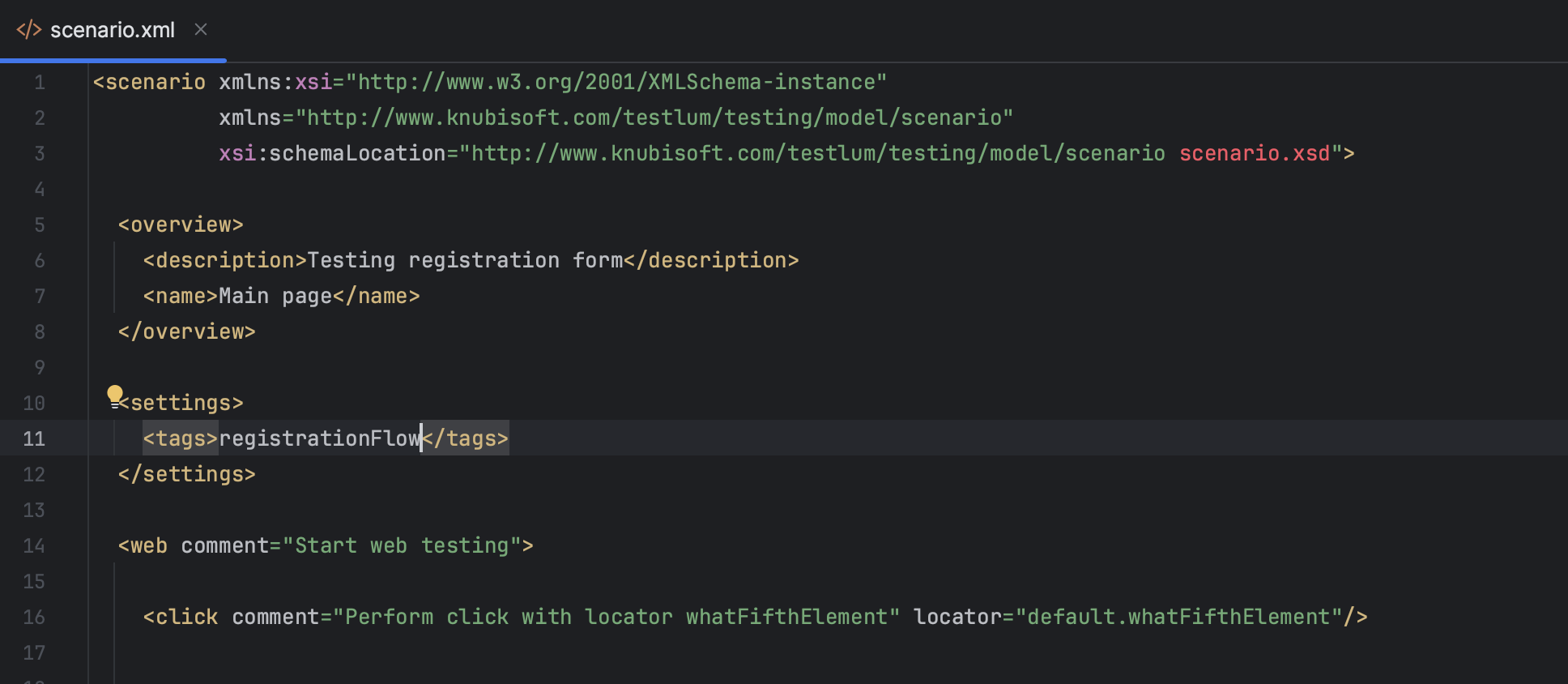
Where
<tags>- is assigning the tag for the test scenario
<settings>
<tags>registrationFlow</tags>
</settings>