

What are ‘variations’ in Testlum?
CSV is a file that contains compiled data for testing.
Variations play an important role in writing WEB automated tests. When your QA specialists are faced with testing the functionality of the fields and selectors, using 'variations,' they will be able to prepare the necessary data set quickly, which will be in tabular form inside the CSV file, and easily test the validation with the main functionality of the fields and selectors.
Variations are effective for
PositiveandNegativetesting.Data is often organized into tables, so CSV files are very easy and efficient to use.
Usage example:
We have a new user registration form, which consists of the following fields:
User name
EmailAddress
Password
Repeat Password
The structure of this CSV
filewill have unique field names with an enumeration of values for each of them.
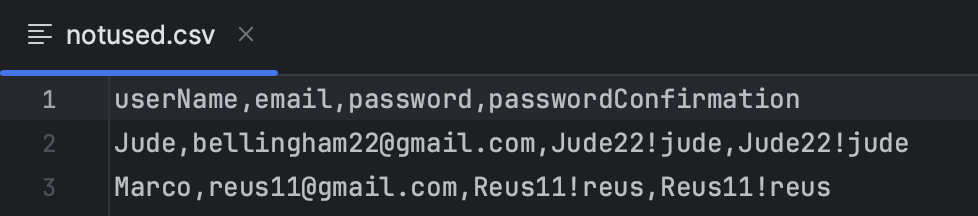
When we link our CSV file to the scenario, it will run twice since the table has two rows with different data inside. Each run of the scenario will iterate through all the values in this file.
To test the functionality and validation of each field manually, it would take a lot of time to write test documentation and conduct manual testing, however, the usage of 'variations' will take much less time, and the efficiency will increase too.
Creation of such a CSV file with data for testing is quite simple because the CSV file consists of rows of data and delimiters that mark the boundaries of the columns. In one such positive or negative file, QA specialists will be able to sort through all possible sets of values that will help to test this functionality more effectively.
Usage of variation in 'settings'
To include variations in a script, add the value into the 'settings' command: <variations>file_name</variations>
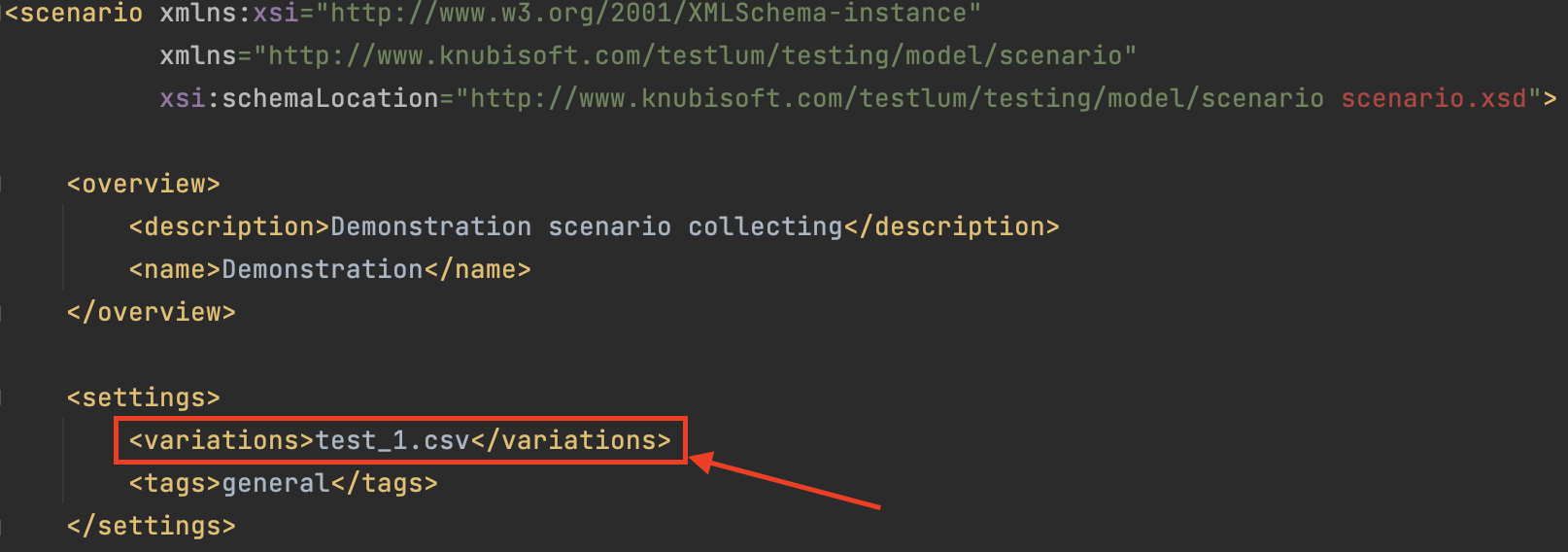
test_1.csv- the name of the brought-outCSVfile that is stored in a "data" folder.
Usage example of variations in a scenario
Usage of 'variations' in 'repeat' command
To include variations in a 'repeat', add the value into attribute - variations="file_name".
Using variations in a 'repeat' will run the selected number of steps in the loop as many times as there are variations
Usage example of variations in a 'repeat':
Usage variables from 'variations' in the field of expected files
With it we can add flexibility to the script and use different expected files for different runs with variations
Steps:
It is necessary to create a variations file with data, where the names of the expected files corresponding to one step are written:
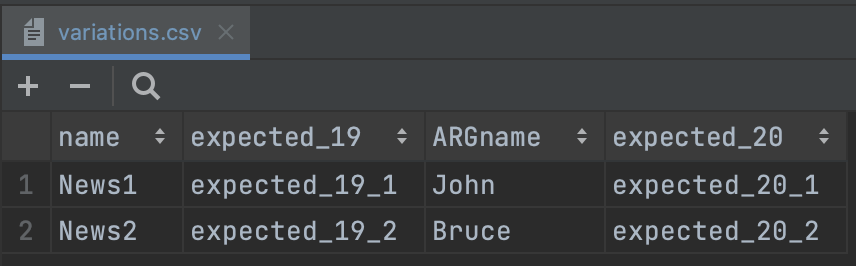
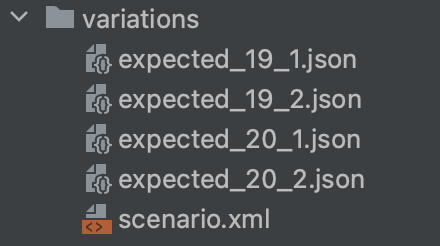
Next to the scenario, expected files are created according to the name specified in the variations file:
Enter the name of the variable from the ;variations; file in the field for the 'expected' file and, if necessary, in another field for the variable:
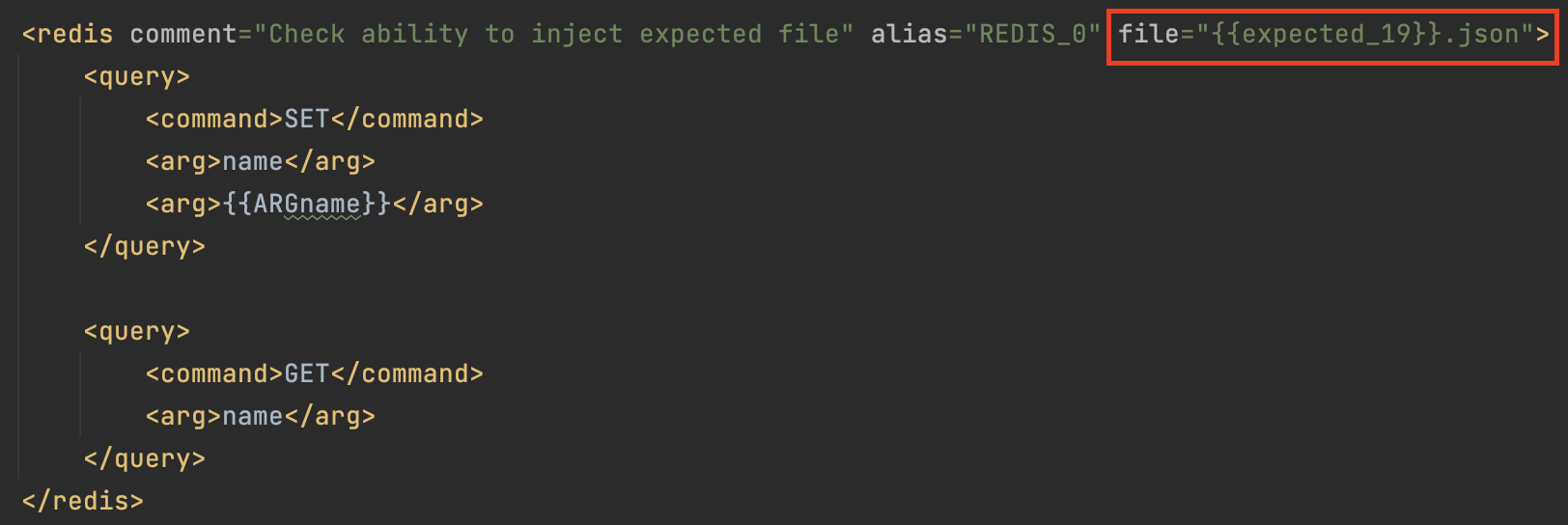
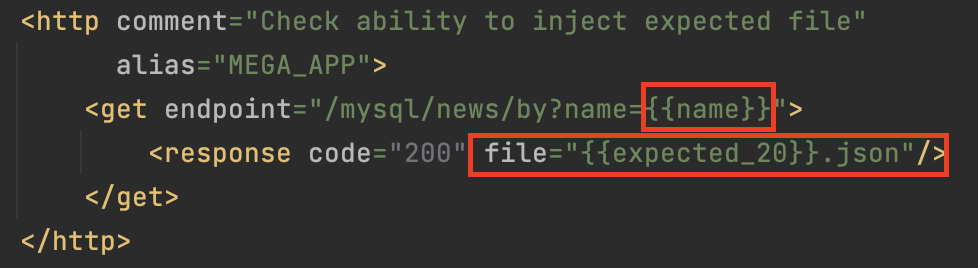
When an injection is made into the field for an 'expected' file, the pattern must follow: {{variable}}.json.